

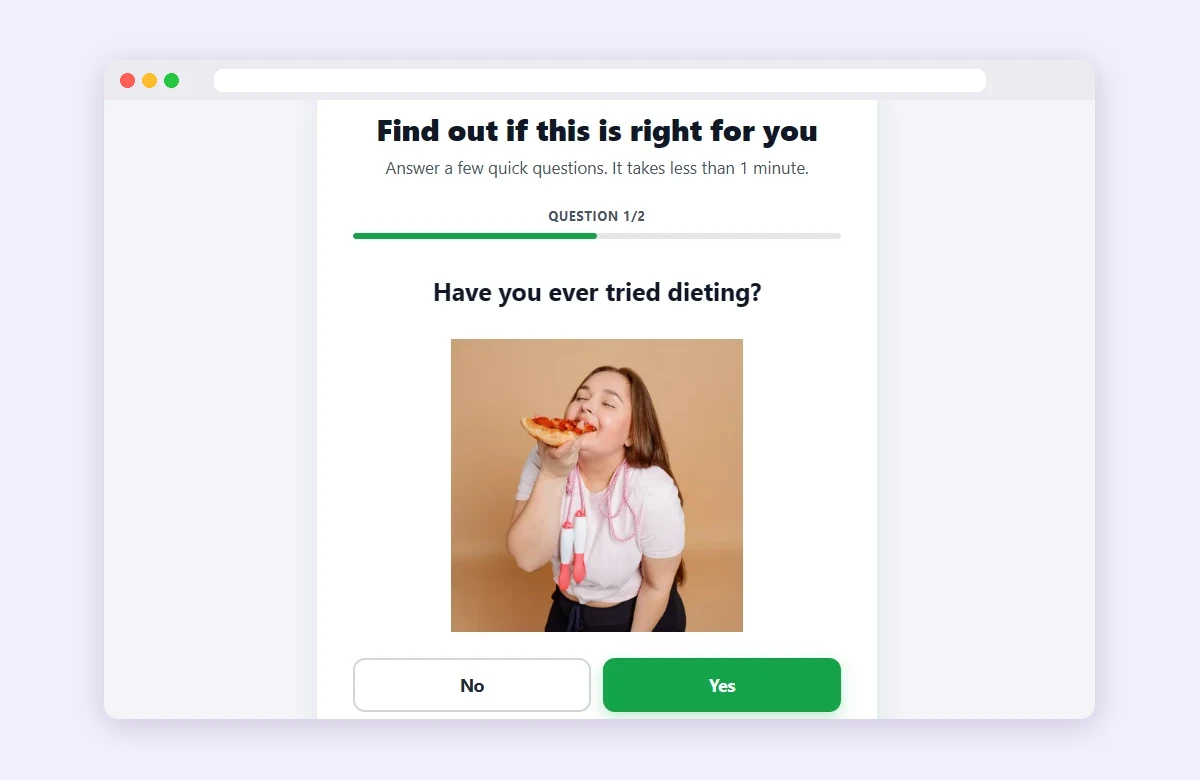
A quiz presell page has 3 to 5 one-tap questions and a result screen that leads to the offer. Every answer is a small yes. Whoever finishes reaches the sales page closer to buying. The hard part isn't writing the questions: it's not losing the visitor along the way.
- The first question continues the ad: the visitor has to recognize themselves in it.
- Keep it to 3–5 questions: fewer won't engage, more makes people quit halfway.
- The trap: a heavy quiz loads slowly and Google charges more per click.
- The fix: a light page, your own domain and every sale tied to the ad.
A quiz presell page sits between your ad and the sales page, built as a short questionnaire. It asks quick questions about the visitor's problem and delivers a result that leads to the offer.
People who click an ad want to see themselves on the page
A quiz converts better because it talks to each visitor on their terms. A static page says the same thing to everyone. Anyone who doesn't see themselves in the message leaves within seconds.
In a quiz, every answer is a micro-commitment. After four taps, the visitor has invested time and wants the result. Time on page goes up and bounce rate goes down, two signals Google reads as a good experience.
There's a second gain: filtering. Not every click is a buyer. The quiz separates people who have the problem from the merely curious, so the sales page gets fewer random visitors.
But that effect depends on the order of the questions.
How should you structure the quiz questions?
Short questions, closed answers and nothing to type. Every screen takes one tap. The sequence that works in most niches qualifies the visitor step by step:
- 1Identification: confirms the person has the problem ("How long have you been dealing with X?"). It's the easiest one and exists to get the first tap.
- 2Segmentation: uncovers the profile (age, goal, situation). It personalizes the result.
- 3Past attempts: "Have you tried to fix this before?". Shows the old method didn't work.
- 4Urgency: measures how much the problem bothers them today. Separates the curious from the buyer.
- 5Commitment (optional): "Would you follow a plan of X minutes a day?". Primes them for the offer.
- 6Result screen: a diagnosis based on the answers, with the offer as the next step.
Six screens sounds like a lot. And this is exactly where most quizzes lose people.
How many questions should a quiz presell page have?
Between 3 and 5. With fewer than 3, the visitor doesn't invest enough to commit. With more than 5, mid-quiz drop-off climbs fast, especially on mobile, where most affiliate traffic comes from.
- Need more context? Use fewer options per question, not more screens.
- Show progress: knowing two questions remain reduces abandonment.
- No typing midway: a text field only at the end, if you truly need one.
A well-built quiz holds the visitor. But it also has to pass ad review.
What does Google Ads policy require from a quiz presell page?
Google accepts intermediate pages that have value of their own. What it rejects are misleading pages or pages that exist only to redirect. A quiz is well accepted when it delivers a real result. In practice:
- No medical diagnosis or cure claims: in nutra, talk about habits and routine, never treatment.
- No fake urgency: no countdown timers or invented "spots remaining" on the result.
- Privacy policy and terms in the footer, especially if the quiz asks for an email.
- Make it clear it's an affiliate recommendation, not the merchant's official brand.
- Ad, keyword and quiz on the same theme: that consistency is what holds up your Quality Score.
With the copy in order, one problem is left that no question can solve.
A slow quiz loses more than bad copy. Generic builders ship heavy JavaScript and LCP passes 4 seconds on 4G. Google flags the experience as below average and the click gets more expensive.
Frequently asked questions about quiz presell pages
Should I ask for an email at the end of the quiz?
It depends on your goal. If you only want the sale, an email field adds friction and fewer people reach the sales page. If you want a list, ask after showing the result, never to unlock it.
Does a quiz work in restricted niches like nutra?
Yes, with lifestyle language rather than treatment claims. If the niche requires a legal notice or consent, also test a cookie presell.
Do I need to code to build a quiz page?
No. The quiz used to be the most expensive presell to build: it needed conditional logic, a form plugin and a decent server. Today some tools ship the logic ready: you edit the questions as text and publish.
How do I know whether my quiz is actually selling?
With tracking from click to sale. Tracking stores the GCLID (the click ID) and ties the sale made on the merchant's platform to the ad. That lets you compare quizzes by real CPA, not by clicks.
Conclusion
A quiz presell page warms up the visitor with small yeses and filters out non-buyers. The structure is simple: 3 to 5 questions and a result. What decides it is everything else: a light page, your own domain and every sale tied to the ad.
 AdsXEverything you need to sell as an affiliate
If you want a high-converting quiz page
AdsX has over 5,000 users and builds and hosts it for you automatically.
More on Bridge page
 AdsX in Claude and ChatGPT: You Ask, Your Operation Runs
 Is ClickBank Accelerator Worth It? Cost and Reviews
 LanderLab Review: Pricing, AI Credits and Limits