
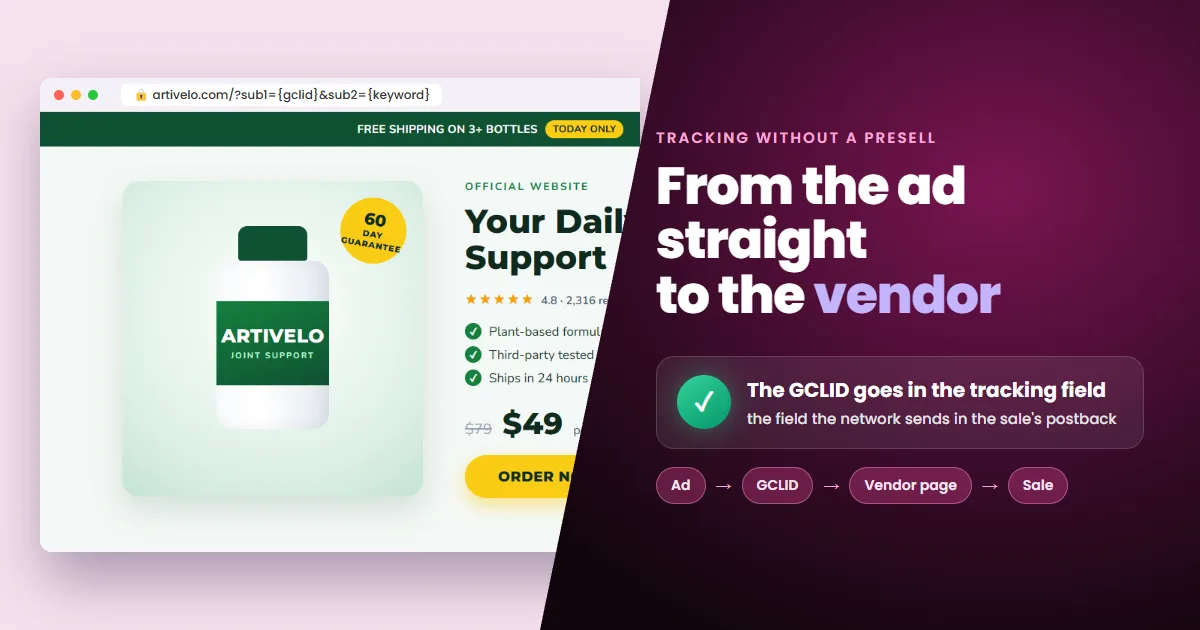
You can send Google Ads traffic straight to the vendor's page and still track every sale. It all comes down to the final URL: the GCLID has to go in the network's tracking field, the one that comes along in the sale's postback. Here is when direct linking makes sense and how to build that URL.
- It's allowed: as long as the vendor accepts direct traffic and the ad shows the vendor's domain.
- The cost: you compete for the same domain with the vendor and other affiliates.
- The key: the GCLID in the network's tracking field, not in any parameter you invent.
- The rest: keyword and device go in the extra sub-IDs.
Can you run your affiliate link directly on Google Ads?
Yes, but check two rules first. The vendor's: many offers ban direct linking or bidding on the brand name. Google's: the URL shown in the ad must match the domain the click lands on, which is the vendor's.
Once both allow it, the link works. But sending the click straight to the vendor has a price that a presell avoids.
What you give up when you skip the presell
Google shows one ad per domain in the same auction. Without a presell, your ad points to the vendor's domain, just like every other direct-linking affiliate and the vendor itself. Only one shows.
- Same-domain competition: each auction picks one ad among all those pointing to the same site.
- A page you don't own: you can't change the copy, the speed or what visitors see first.
- Fewer signals for the campaign: with no page of yours in between, there's no visitor behavior to measure.
Some affiliates still prefer it to test an offer fast. If you do, tracking is the one thing you can't skip, and it's where the URL usually goes wrong.
Where the GCLID goes so the sale reaches the click
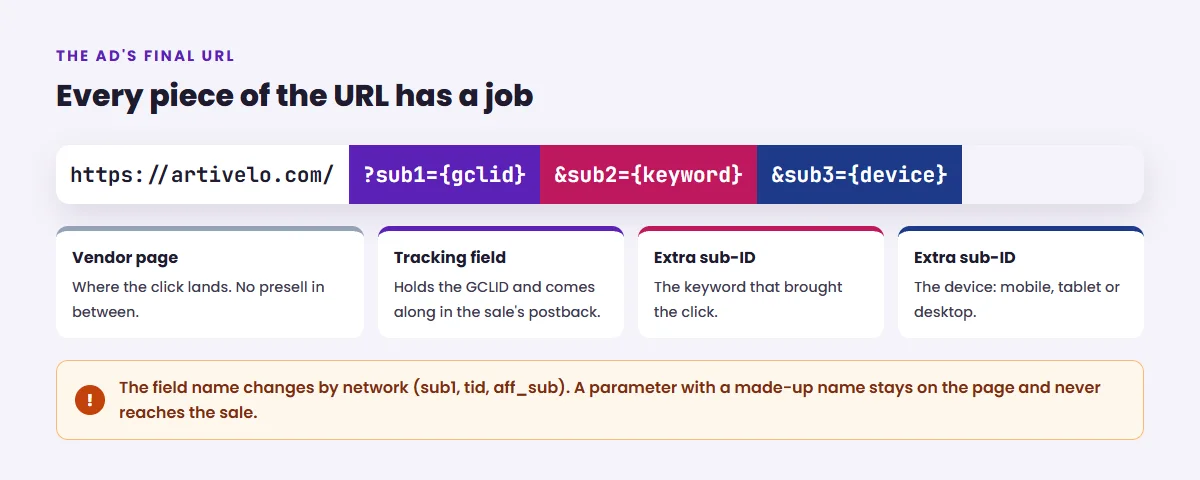
The GCLID goes in the affiliate network's tracking field. That's the field the network stores with the sale and sends in the postback. A parameter with any other name stays on the vendor's page and gets lost.
GCLID is the unique code Google creates for every ad click. In the URL you write {gclid}, and Google swaps in the real code on each click.
Five steps, and only one changes by network
Follow them in order and finish with a test click.
- 1Grab your affiliate link for the offer from the network.
- 2Check where the link lands: the ad's URL has to end on the vendor's domain. If the network offers a direct link to the vendor page, use that one.
- 3Find the network's tracking field (sub1, tid, aff_sub) and put {gclid} in it.
- 4Use the extra sub-IDs for keyword, device or campaign.
- 5Paste the finished URL as the ad's final URL and run a test click.
Which parameters to send in the extra sub-IDs
Google fills in ValueTrack parameters, written in curly braces, on its own. The most useful for affiliates:
- {keyword}: the keyword that triggered the ad.
- {matchtype}: the match type, exact, phrase or broad.
- {device}: mobile, tablet or desktop.
- {campaignid} and {adgroupid}: the campaign and ad group the click came from.
- {creative}: the ad that was clicked.
Test before the campaign goes live. A misplaced brace or a wrongly named field throws no error: the sale comes in without the GCLID and can't be matched to the click.
The right URL covers half the path. The other half is recording the sale in Google Ads.
The URL carries the click; tracking records the sale
The URL only makes sure the GCLID reaches the sale. For the campaign to learn, something has to receive the network's postback and record that sale in Google Ads as a conversion for the click.
 Read alsoGoogle Ads Offline Conversion Tracking for Affiliates
Google accepts the conversion up to 90 days after the click. With the GCLID stored on the sale, even a purchase made weeks later still teaches the campaign.
Frequently asked questions about direct linking on Google Ads
Is direct linking against Google Ads policy?
No. Google accepts affiliate ads, as long as the URL shown in the ad matches the domain the click lands on. The more common restriction comes from the vendor, who may ban direct traffic or the brand name in ads.
What is my network's tracking field?
It depends on the network: sub1 or aff_sub on many CPA networks, tid on ClickBank. Search for “sub-ID”, “tracking ID” or “postback” in your network's help center.
Do I need conversion tracking on top of the URL?
Yes. The URL gets the GCLID to the sale. Recording that sale in Google Ads, so the campaign learns, is the job of conversion tracking.
Can I switch back to a presell later?
Anytime. Just point the ad's final URL to your presell. Tracking stays the same: the presell carries the GCLID into the tracking field of the vendor link.
You can skip the presell, but not the GCLID
Sending the click straight to the vendor is a choice, and the price is competing for the same domain. Tracking isn't a choice. With the GCLID in the right field, every sale is tied to its click and your campaign learns from every new sale.
 AdsXEverything you need to sell as an affiliate
If you want to run direct links and know which click sold
AdsX has over 5,000 users and builds your tracking URL and records every sale in Google Ads for you, with no parameters to memorize and no code.
More on Bridge page
 Google Tag, Cookie Consent Presell & Bottom of Funnel Ads
 AdsX in Claude and ChatGPT: You Ask, Your Operation Runs
 Is ClickBank Accelerator Worth It? Cost and Reviews